4.3. Data Folder and Backup
4.3.1. Data Folder
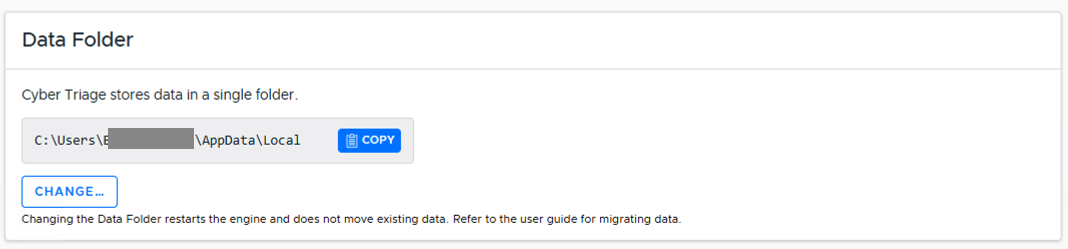
All versions save a lot of data to the “data folder”, which by default is a ‘cybertriage’ folder in the local AppData folder of the user that Cyber Triage® is running as. It stores databases, collected file contents, logs and other data, and should be backed up (see Backup and Recovery below).
You can see the specific path in the “System” / “Storage” tab of the Options panel.
The folder can be quite large, especially as more data is added into Cyber Triage. The “SessionFiles” subfolder contains copies of previously imported hosts; you can exclude it from backups to save space, or see Reducing Data Folder Size below to have Cyber Triage clean it up automatically.
You can move the data folder to a new location - see Changing Where Data is Stored below.
4.3.2. Changing Where Data is Stored
You can move the data folder to a new location. Note that it is your responsibility to move the existing contents to the new location.
Standard Version:
Launch the Options panel and choose “System” / “Storage”.
In the “Data Folder” section, pick a new folder.
Shutdown Cyber Triage
Copy the contents of %LOCALAPPDATA%\cybertriage to the new location.
Restart Cyber Triage and verify you can open past cases.
Team Version:
Shut down Cyber Triage Team Server
Open up %appdata%\cybertriage\config\v3\config.yml in a text editor.
Change contentDirectoryPath: to the new path (ex. “E:\new\path\cybertriage\”)
Change uploadFilePath: to the new path (ex. “E:\new\path\cybertriage\files\CyberTriage\”)
Save config.yml
Copy the contents of %LOCALAPPDATA%\cybertriage\ to the new location.
Start up Cyber Triage Team Server
Note
When setting your new uploadFilePath:, please make sure that the path ends with \cybertriage\files\CyberTriage\
4.3.3. Backup and Recovery
It’s important to make sure your Cyber Triage® data is backed up. The procedures outlined in this section assume that the backed up data will be restored to the same versions of Cyber Triage and, if applicable, PostgreSQL.
See Data Folder above for what to back up and where to find it.
If you have a Team deployment with PostgreSQL, then refer to its standard procedures for updating (including security patches) and backing up the PostgreSQL databases.
4.3.4. Reducing Data Folder Size
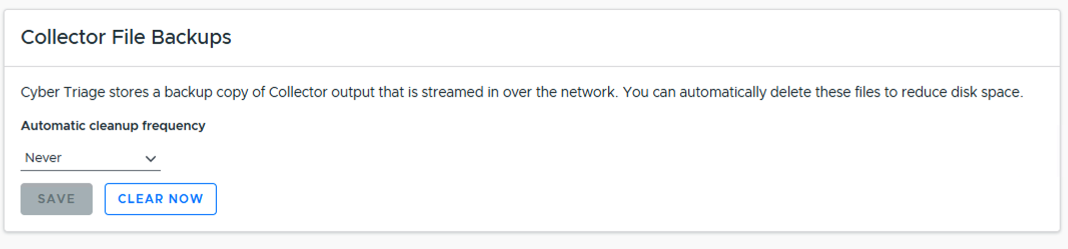
Cyber Triage stores copies of previously imported hosts in the “SessionFiles” folder in the “data folder”. These exist to ensure that you can reload data that comes in from over the network in case of corruption or crash.
You can configure Cyber Triage to periodically delete old copies of these files under “Collector File Backups” in the “System” / “Storage” tab of the Options panel.