3.3.3.1. Add Over The Network - PsExec Launch
With Network - PsExec (previously called ‘Live Automatic’), Cyber Triage® will push the Collector to a live system using PsExec and it will send its results back to Cyber Triage® over the network.
To do this, you’ll need the following on the remote Windows system:
File and network sharing enabled
Administrator privileges
Refer to Network - PsExec Target: Listening Ports (Standard and Team) for details on network requirements and Configuring for Network - PsExec Collections for details on configuring the target systems.
Watch the Cyber Triage Basics Course PsExec video on this technique.
3.3.3.1.1. Adding a Single Live Host
To perform the collection on a single host, select the Network - PsExec icon. You will be presented with a panel to enter:
Host name of computer to collect from
User name, domain, and password for an account on the remote system that has administrator privileges
If you did not configure PsExec as described in Configure PsExec, then you will be prompted to do so.
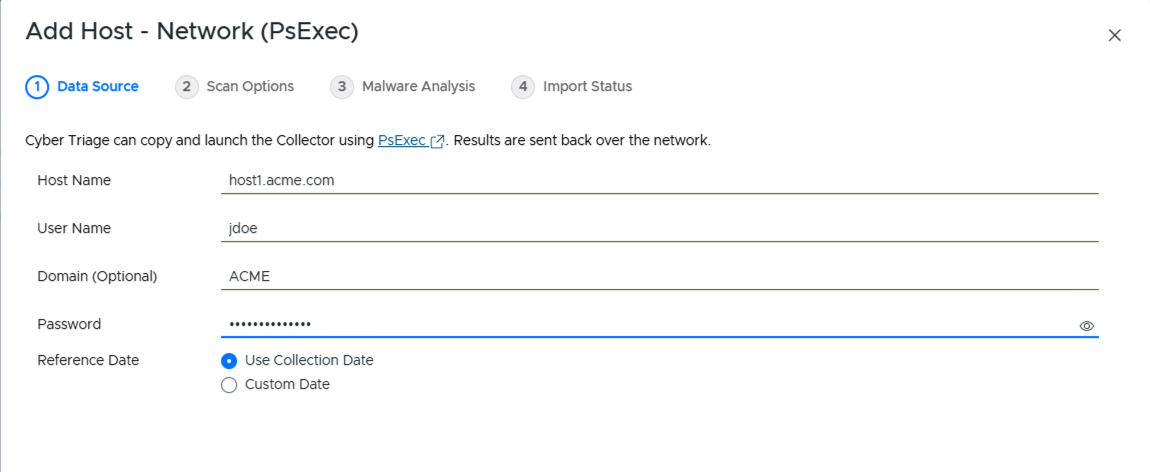
Single Network - PsExec Options
After pressing Continue, you will be prompted to choose:
Data types to collect (see Data Collection Types)
Automated analysis settings (see Ingest-Time Settings)
If this is your first time running the program, you may also be prompted by Windows or a security program to allow Cyber Triage® to open a network port. You will need to allow this to happen so that the Collector can send data to Cyber Triage® on TCP port 443.
See Configuring for Network - PsExec Collections if the administrator account on the remote system is a local account and you are having problems.
After the collection has started, you will be able to see the results. Proceed to Host-level Examination for an overview of the analysis techniques.
3.3.3.1.2. Adding Multiple Live Hosts
If you have a Team deployment of Cyber Triage®, you can submit multiple host names to collect from by entering a comma-separated list in the Host Name field. This is more manual than in previous versions, which had a separate Add Multiple step for entering and validating a list of hosts.
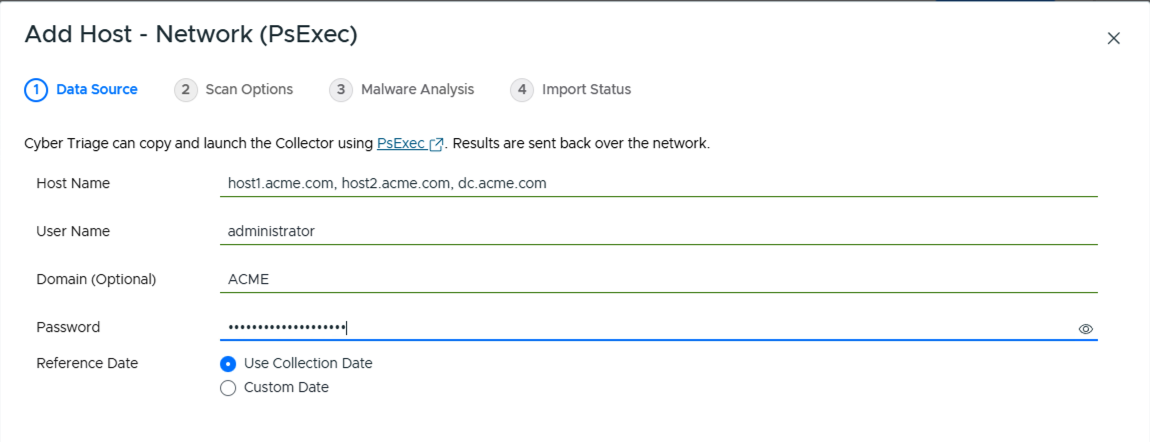
Network - PsExec with Multiple Host Names
Cyber Triage® will then validate the credentials with those host names and then queue them up. You can see progress from the Incident Overview, which is where Cyber Triage® will redirect you to.