2.2.5. Create and Manage Team Users
Investigators need a user account within Cyber Triage to access the server. User management is done from the options panel and during initial setup.
If you did not create any user accounts during setup, login with the ‘administrator’ account first to the web application (https://localhost:9443/app).
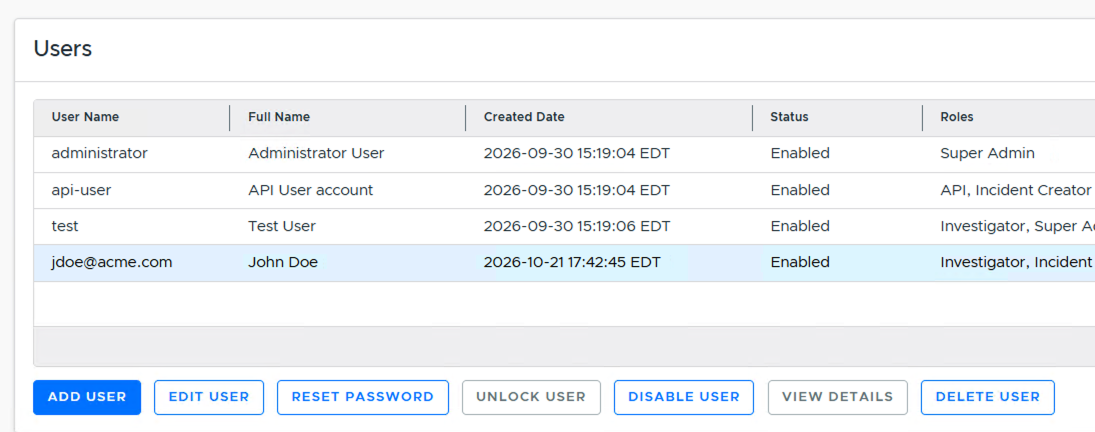
By default, you’ll see the administrator account and an ‘api-user’ account, used for integrations and, with an Enterprise-tier license, REST API access (see REST API Access (Team Only)).
2.2.5.1. Creating an Account
You can have as many accounts as you have licensed. The api-user and ‘administrator’ accounts are not counted towards your limit, but they cannot review data.
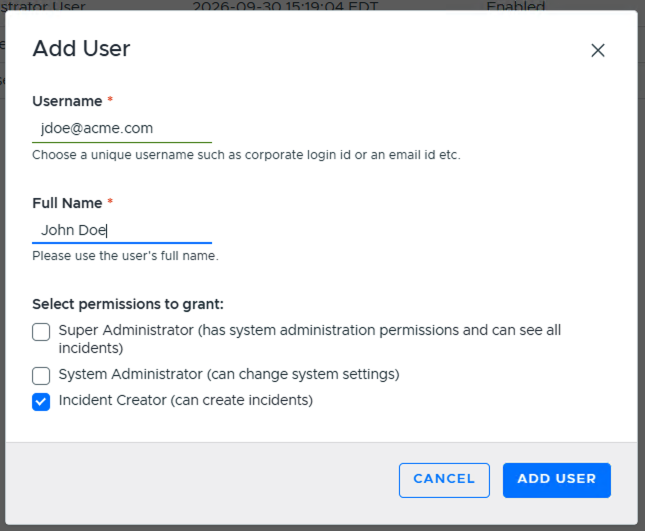
To create an account, choose “Add User”, enter the user name and full name, and choose its permissions:
Super Admin: Has System Admin permissions, can see all incidents, and manage who has access to incidents.
System Admin: Can make application changes, create users, and log into the options panel.
Incident Creator: Can create a new incident and add hosts to it.
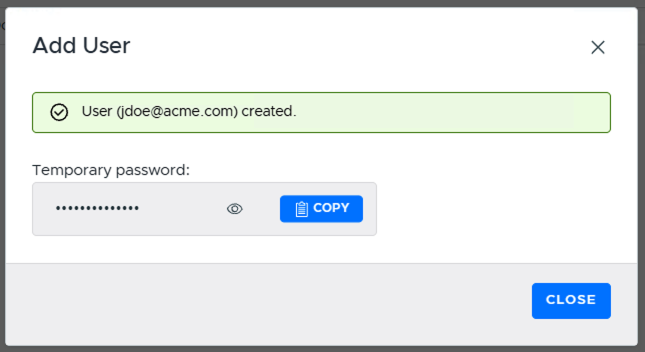
A temporary password will be assigned. Copy this and share with the user so that they can login for the first time. They will be forced to change it.
We recommend giving at least one account System Admin privileges, in case the ‘administrator’ account’s password is forgotten and needs to be reset.
2.2.5.2. Changing a User Password
Currently, a user cannot change their own password. The administrator must reset it for them in the web application and then the user can change it when they login next.
2.2.5.3. Changing Permissions
To change the permissions for a user, select them from the list and choose “Edit User”.
If you have Incident Access Control enabled, this does not change their permission for a specific incident. To do that, you must edit the permissions on the incident. See Adding Users to an Incident.
2.2.5.4. Deleting a User
Users can be deleted from the web application by selecting the three vertical dots and choosing “Delete User”. The administrator and API user cannot be deleted.
2.2.5.5. API User
The API user cannot be used by the Cyber Triage clients. It is intended for integrations. It is created automatically with a random password. The web application will provide you with the password and the legacy REST API key if you upgraded from an older version of Cyber Triage that used that feature. This account can be disabled.
REST API access requires an Enterprise-tier license. See REST API Access (Team Only).