3.5. Guided Analysis
Once data has been ingested and analysis has started, you can begin your review of the data.
3.5.4. UI Concepts
3.5.4.1. Table Actions
Use the “…” (more actions) button on a row to get a list of actions for that item.
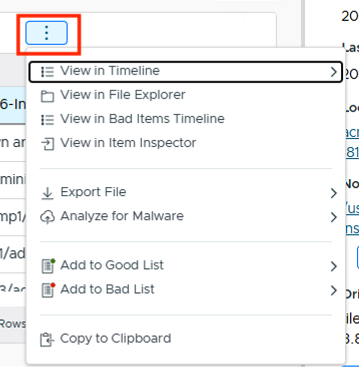
The “…” (more actions) menu
The top menu above a table also changes based on what is selected:
With no rows selected, you get filter and search options (Filters, Find Text, Export CSV).

With a row selected, it changes to actions for that row, such as Score, Comment, & Label, Show Only Same Type and Name, and “…”. Unselect the row to get back to the filters.
