3.5.3. Host-level Examination
Once you have added data to Cyber Triage® and automated analysis has started, then your goal will be to review the results. Cyber Triage will assist you as much as possible to find all evidence.
The assisted examination process can start while the artifacts are still being analyzed. Some teams choose to wait until the end. Others start right away.
Your main goal is to review the notable scored items, update the score as appropriate, and find additional evidence. Refer to Scores and Labels for a review of the scoring concepts and how to change scores.
Basic Workflow
We recommend four phases of investigating a host:
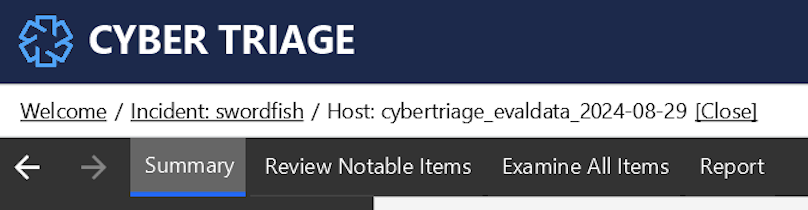
Get a quick overview of the system. This is the ‘Overview’ part of the Cyber Triage UI. See Overview Section.
Review what Cyber Triage scored as Bad and Suspicious and correct the scores. This is the ‘Review Notable Items’ part. See Review Notable Items Section.
Fill in the gaps if your investigation requires it. This is the “Review All Items” part of the UI. See All Items By Type
Generate reports for human or machines to use. You can also generate reports at the incident-level when all of the hosts are complete.
You’ll see these stages at the top of the UI within a host.