3.3.11. Local Disk
3.3.11.1. What is it
Allows you to analyze a mounted drive and import its contents. This typically occurs when you have a disk image that is not directly supported by Cyber Triage because of its encryption.
Note
Admin credentials are needed for this and you will be prompted to grant those via UAC.
Watch the Cyber Triage Basics Course Local Disk video on this technique.
3.3.11.2. How to Get The Data
Use any software that can convert your data to a mounted drive letter.
3.3.11.3. How to Import
To add Local Disk data, choose Add New Host from the Incident Overview and choose the Local Disk box.
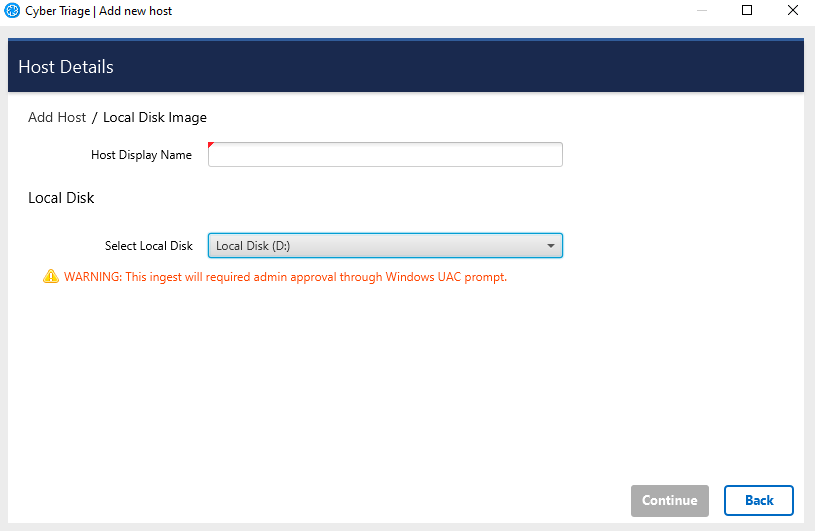
Choose the disk from the pulldown (it will not show the C:drive or network shares).
Update the display name and reference date as needed.
Press Continue to then configure what data types to collect (see Specifying Data Collection Types) and malware settings (see Ingest-Time Settings).
Note that you cannot queue up a Local Disk. So, you will need to wait until other hosts are done processing before adding in a local disk.